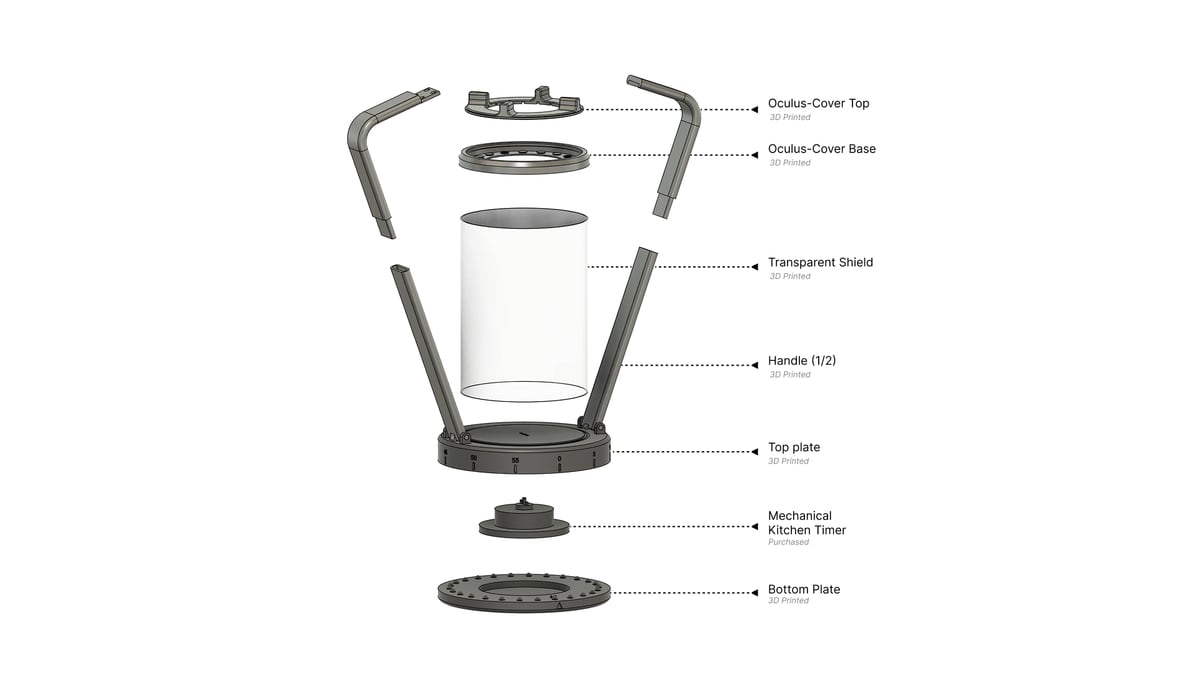
Inside
Built-in mechanical timer, no electronics
Client guidelines mentioned no electronics, and this solution complies.

WinnerMetaproject 16
Preventing house fires from unattended candles
Stage 01of 09
A 12-week sponsored studio. The sponsor, a safe maker, opened with one question, and one client guideline held all the way to the end: no electronics.
The prompt
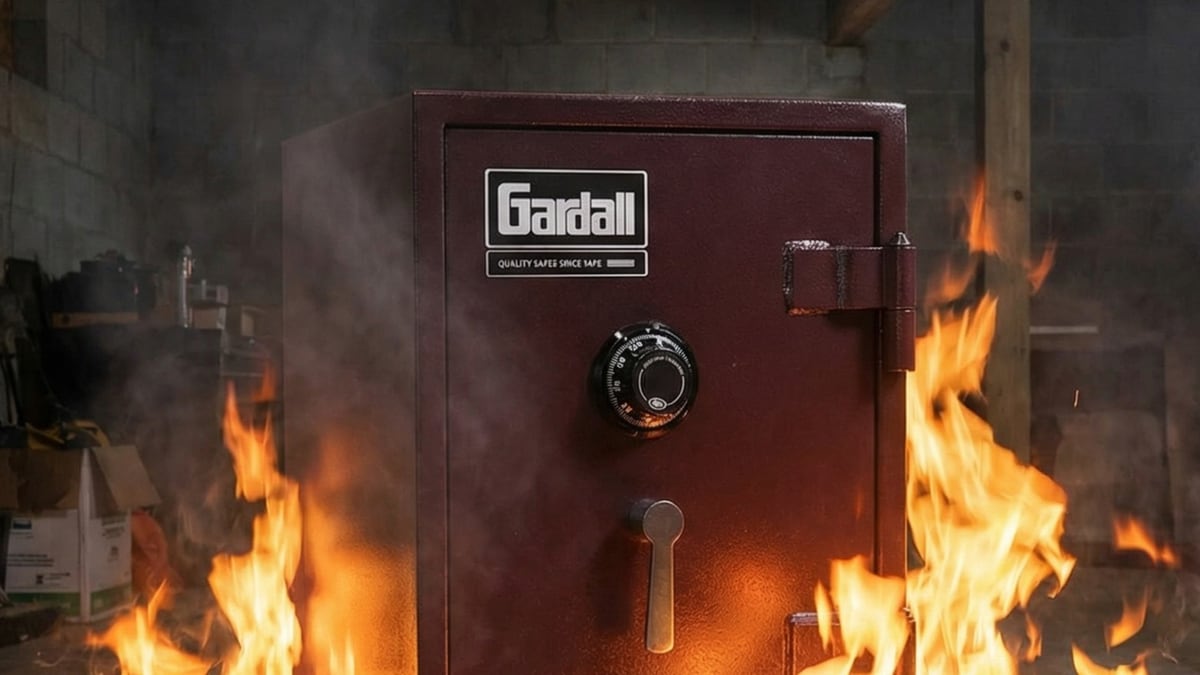
Gardall, a safe company, was the sponsor of Metaproject 16 and posed the research prompt “What is safe?”

This led toWide research, before any narrowing.
Stage 02of 09
More than fifty slides of desk research, then a research board that weighed each direction with sticky-note feedback until one everyday object was left.
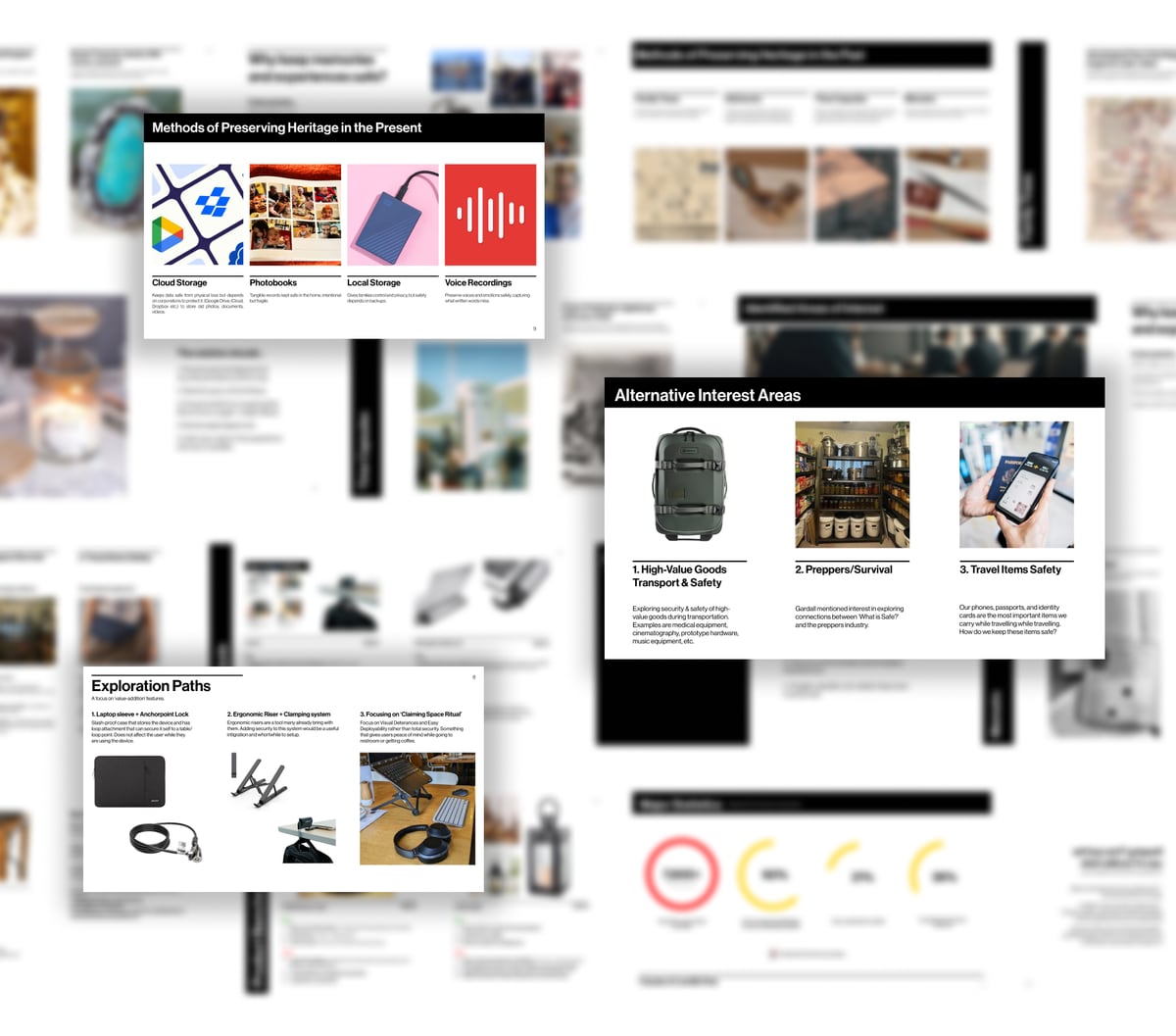
Desk research · 50+ slides
I conducted a wide exploration of possible directions (50+ slides) to the research question, from the safety of our memories to food preservation.
Back to the sponsor
What objects cause house fires? How can we prevent it?
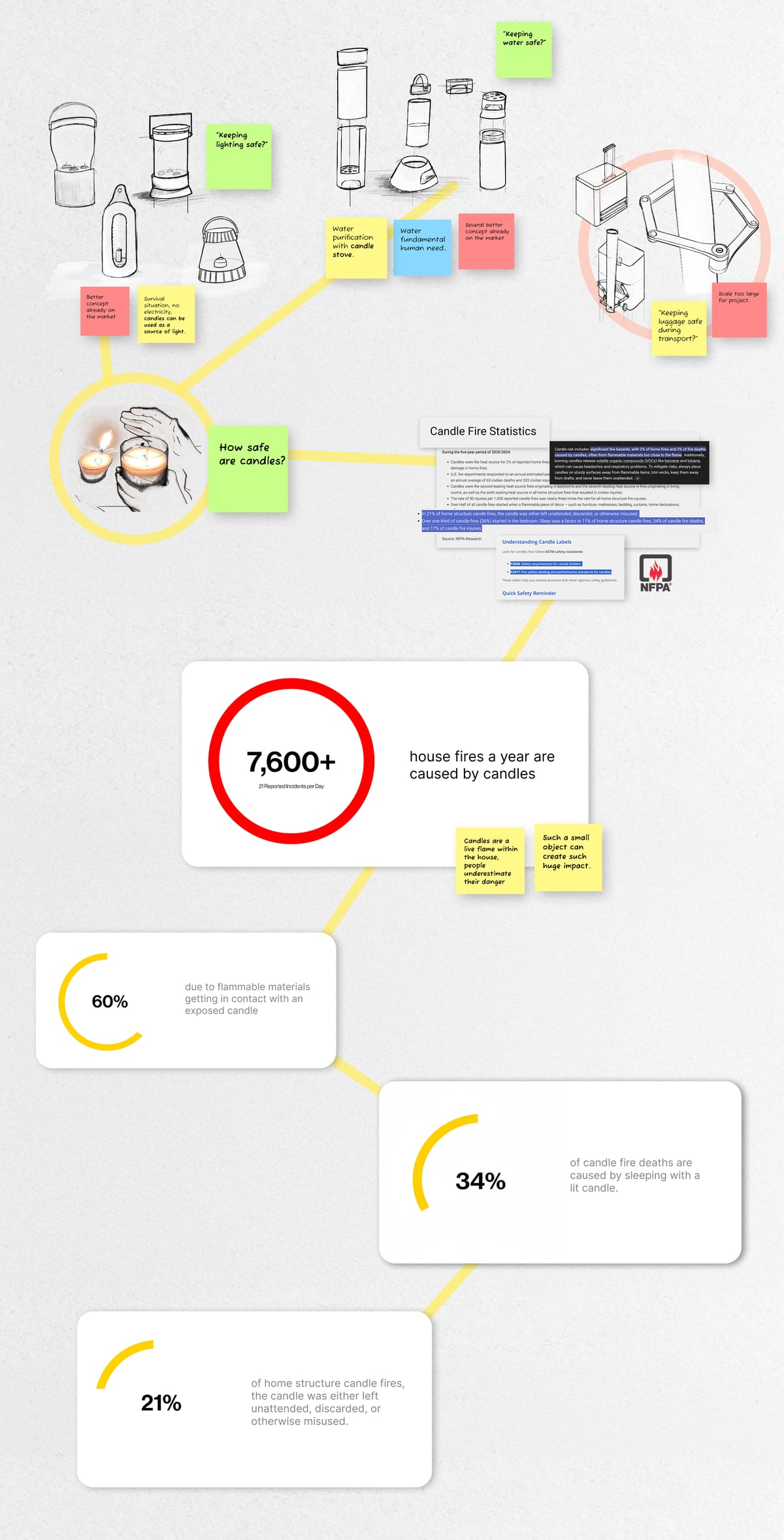
Research board · directions
“Keeping lighting safe?”
“Keeping water safe?”
“Keeping luggage safe during transport?”
Each direction was sketched and challenged on the board, with notes like “Several better concept already on the market” and “Scale too large for project.”
Research board · narrowing
Candles stayed in play as a survival light source, so the board turned to the NFPA’s candle fire statistics.
Research board · the numbers
Four figures from the NFPA research ended the board. They became the insight that set the direction.
Research showedSuch a small object, such a big risk.
Stage 03of 09
Two findings reframed the brief: candles cause thousands of house fires a year, often when no one is watching, and no product on the market pairs a real flame with any intervention.
Candle Fire Statistics · 1 of 4
7,600+ house fires a year are caused by candles
“Candles are a live flame within the house, people underestimate their danger.”
“Such a small object can create such huge impact.”
Candle Fire Statistics · 2 of 4
60% due to flammable materials getting in contact with an exposed candle
Candle Fire Statistics · 3 of 4
34% of candle fire deaths are caused by sleeping with a lit candle.
Candle Fire Statistics · 4 of 4
21% of home structure candle fires, the candle was either left unattended, discarded, or otherwise misused.
Source: NFPA Research
Insight 1
Even the smallest oversight can lead to catastrophe when precaution is ignored.
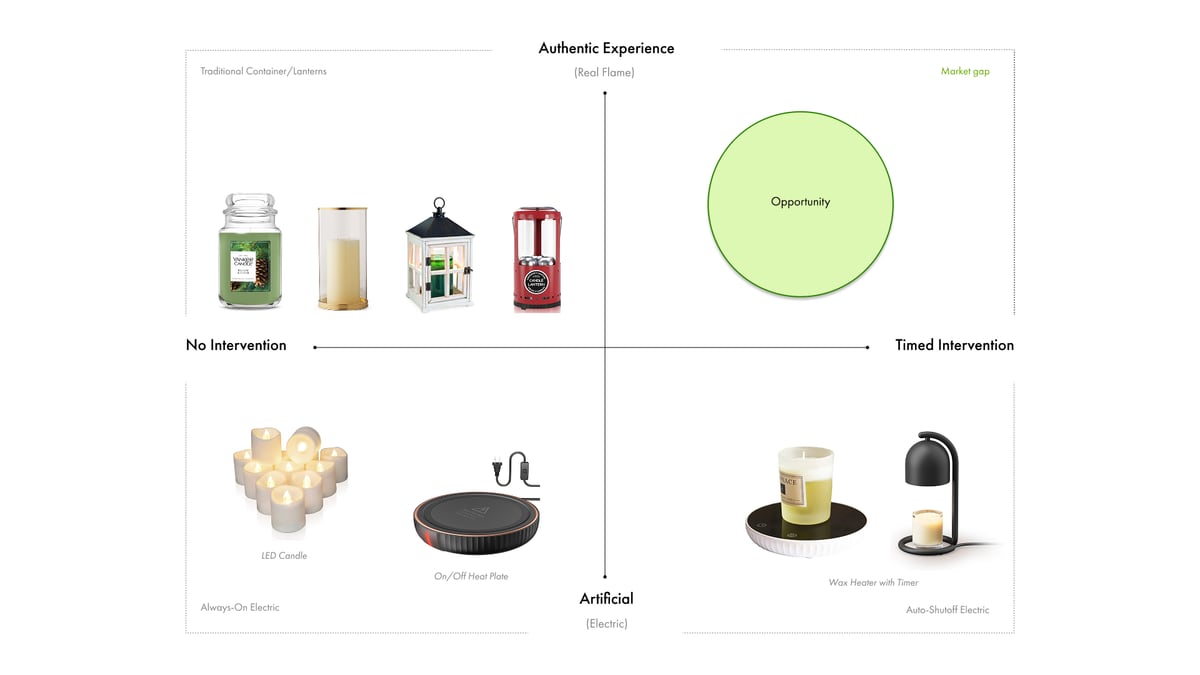
Competitive Landscape
Existing products mapped on two axes: real flame or electric, and whether they intervene at all.
Insight 2 · The Market Gap
Electric alternatives are safe, but artificial. Real flame products offer no intervention. Users have to sacrifice their safety for an authentic, real flame experience.
This led toA question that keeps the flame and adds the safety.
Stage 04of 09
Problem definition
The findings became five requirements for the candle holder concepts, including the client’s rule of no electronics.
This led toBreadth first: form and interaction on paper.
Stage 05of 09
Sketches, cardboard and CAD side by side. The question running through every option was the same: how does the user set the timer?
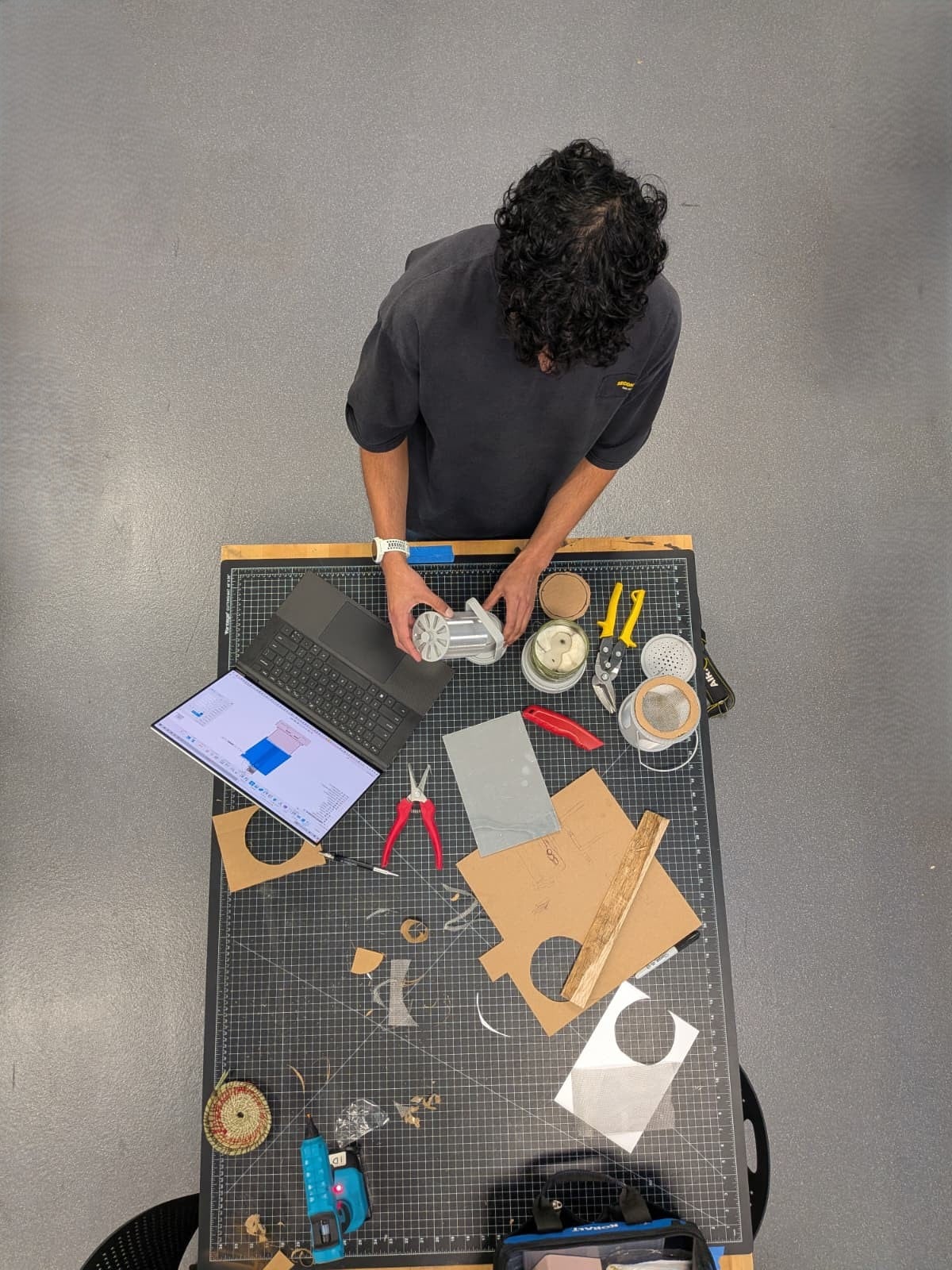
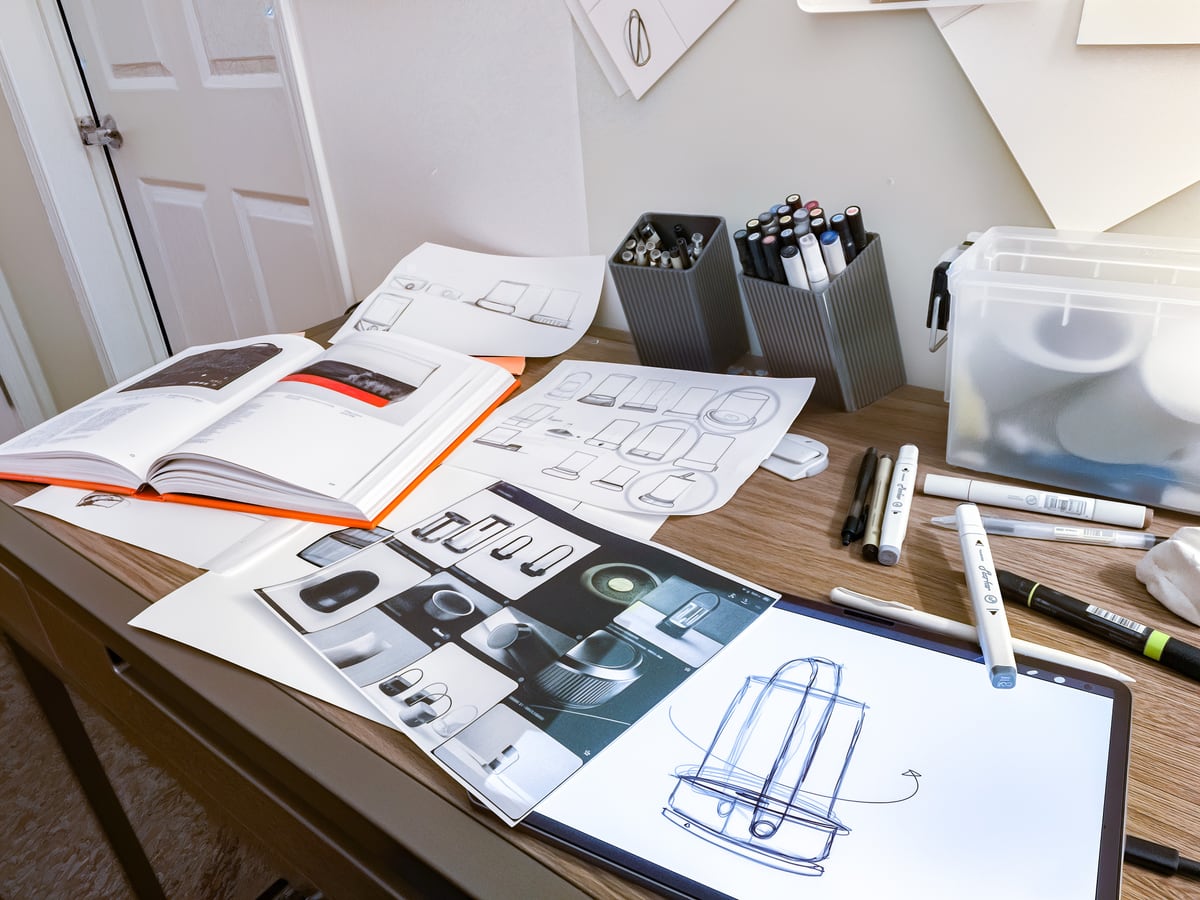
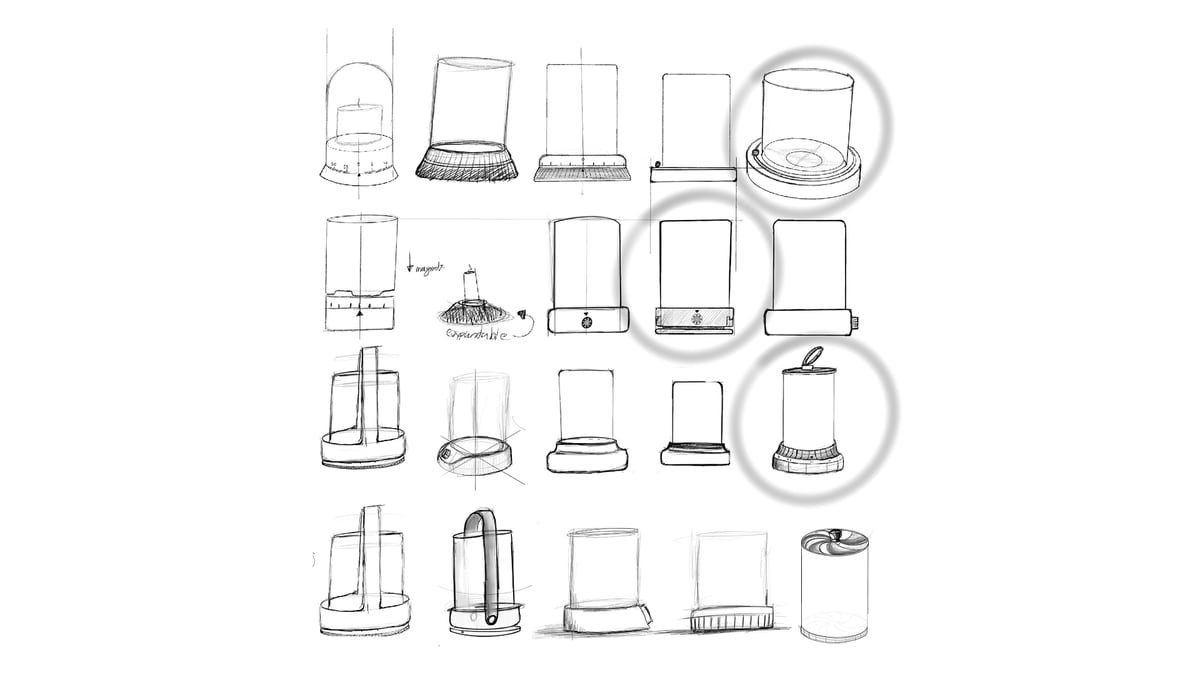
Sketching
Insights from existing hurricane candle lanterns and timers informed how the user set the timer.
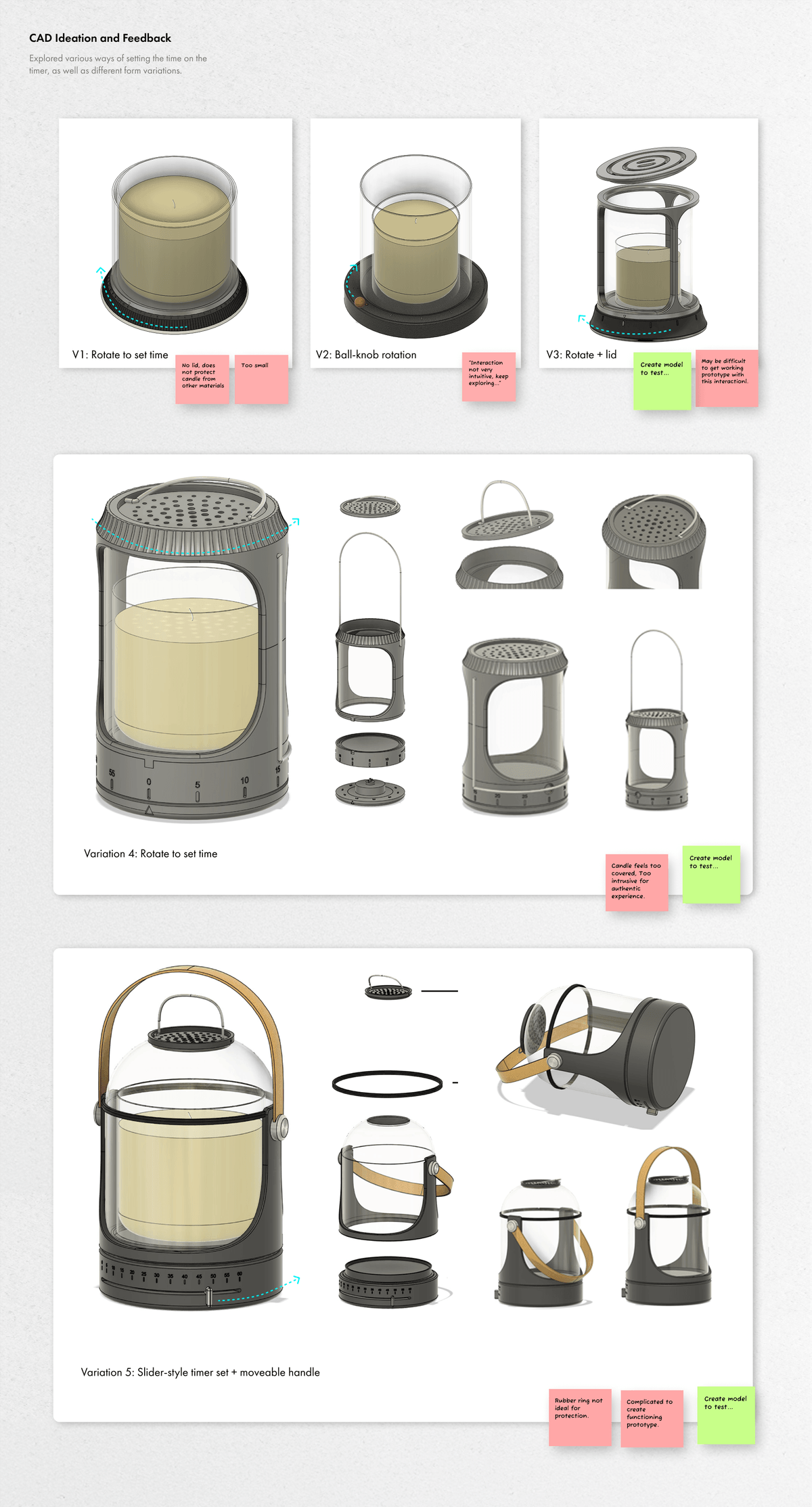
CAD Ideation and Feedback
Explored various ways of setting the time on the timer, as well as different form variations, each reviewed with sticky-note feedback.
V1
“No lid, does not protect candle from other materials”
“Too small”
V2
“Interaction not very intuitive, keep exploring...”
V3
“Create model to test...”
“May be difficult to get working prototype with this interaction!”
Variation 4
“Candle feels too covered, Too intrusive for authentic experience.”
“Create model to test...”
Variation 5
“Rubber ring not ideal for protection.”
“Complicated to create functioning prototype.”
This led toThen came a sixth variation.
Stage 06of 09
Every earlier variation had a catch on the feedback board. Variation 6 merged the handle and the timer into a single part, so the gesture that sets the reminder is the same one you carry it by.
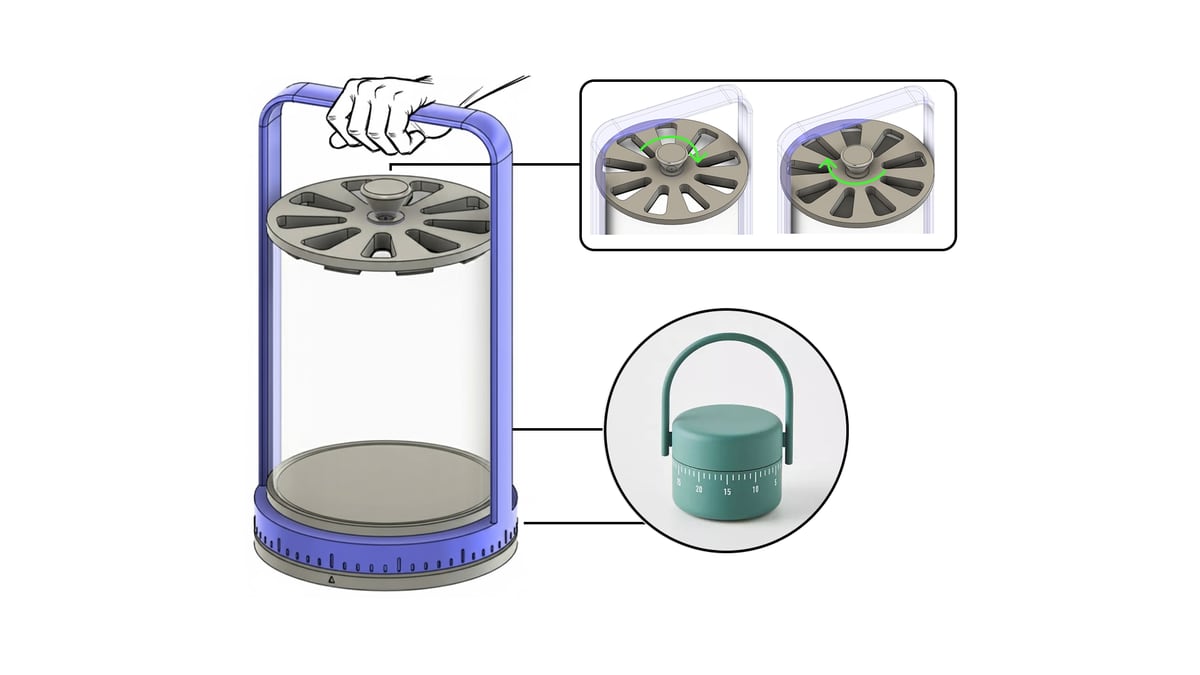
Variation 6: Chosen Design
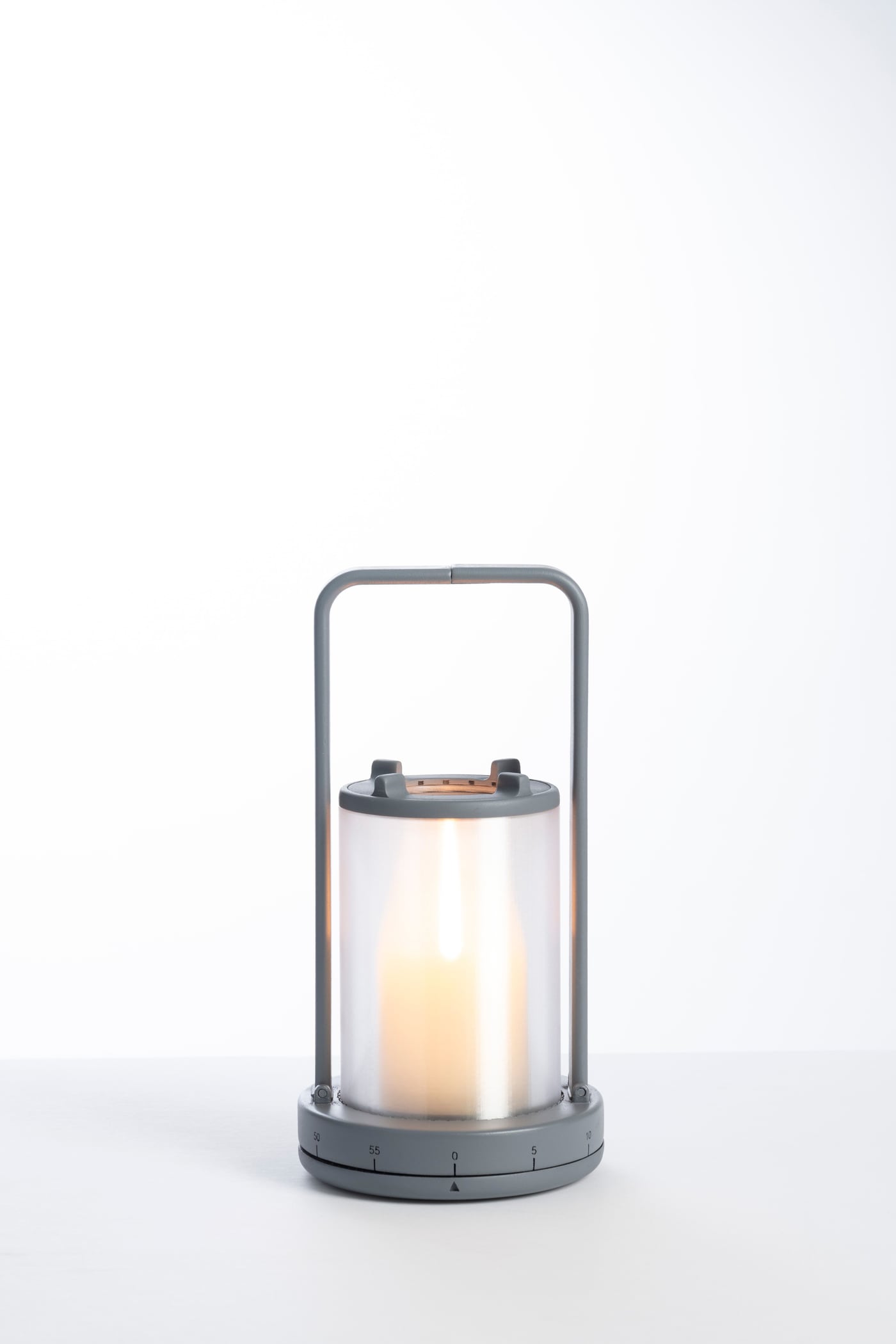
The handle winds the mechanical timer. One gesture sets the reminder and creates a carry point—portability and function in a single motion.
Drag the handle or tap a number
How it works · interactive
Seen from above, the handle crosses the base dial. Scroll to turn it, or drag it yourself: the numbers move past the fixed marker in 5-minute steps, 0 to 60.
Then let go
Press Start. The handle walks back to neutral as the timer runs down (sped up here), then the timer rings.
ThenIt had to work in the hand.
Stage 07of 09
Variations were 3D printed as physical models and tested in the hand, while a separate experiment tested how the flame could be put out.
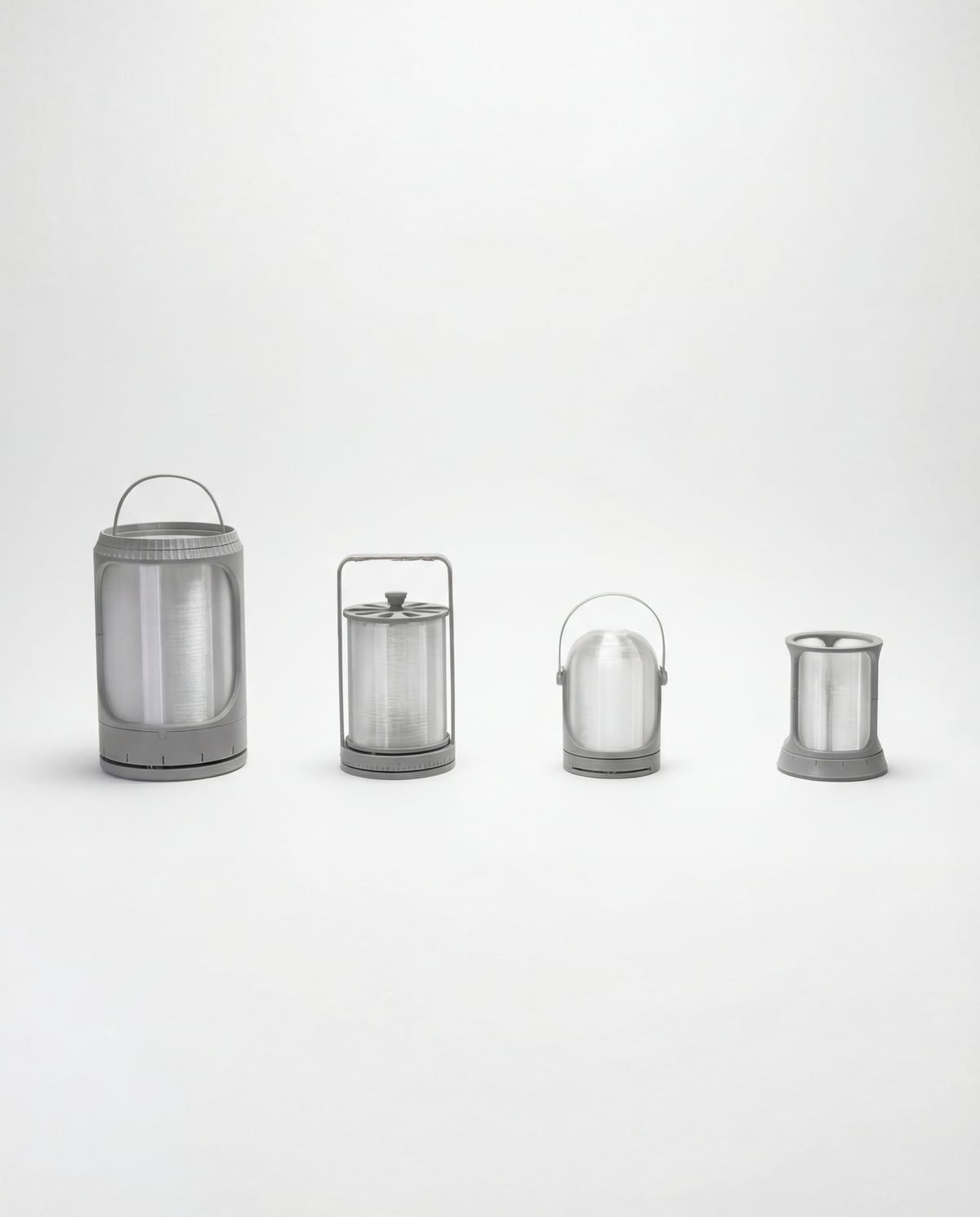
Test models
Four variations printed as physical test models, each with a translucent shield.
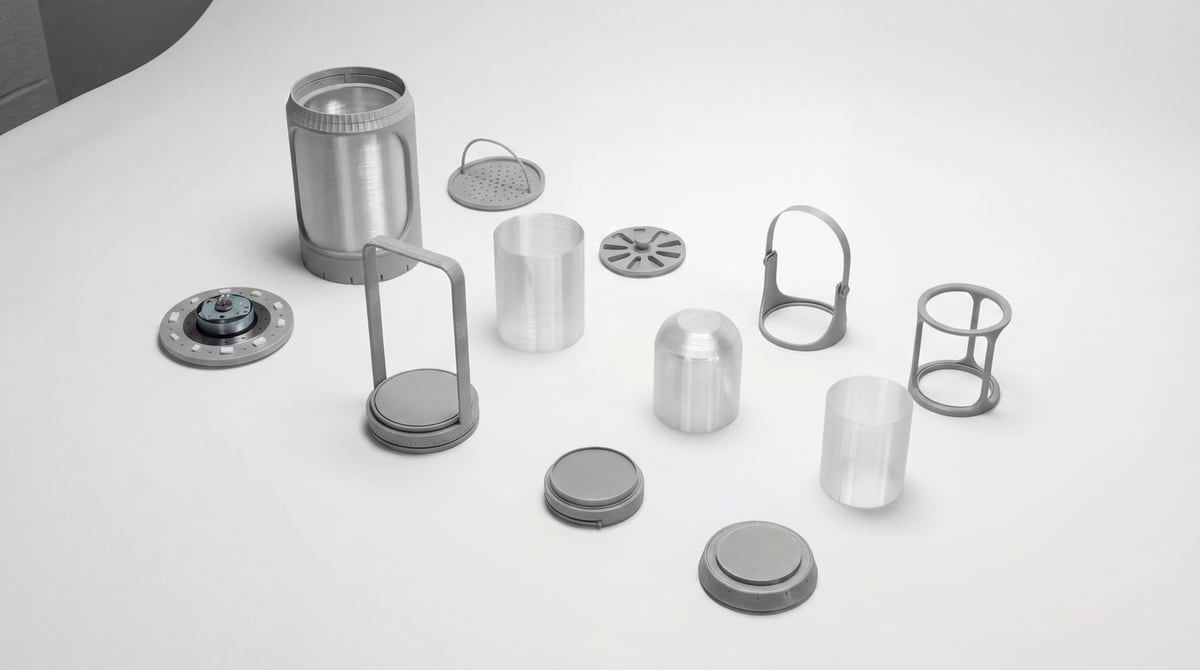
Parts
Shields, handles, vent lids and base plates of the test models, printed as separate parts.
Test · in hand
The printed Variation 6 was tested for both jobs of the handle: turning it like a dial, and lifting the lantern by it.
Insight
Experimented with an open-source iris mechanism to be used in the final product to snuff the candle.
Testing fed intoA fully working prototype, with the iris built into the top.
Stage 08of 09
The refined lantern added a real mechanical timer, handles that split apart on magnetic joints, and an oculus on top for snuffing. It was then tested start to finish.
Using a mechanical timer, I created a fully functioning model of the final variation that allowed the timer to be wound, automatically returned to the neutral position, and rang after a set period of time.
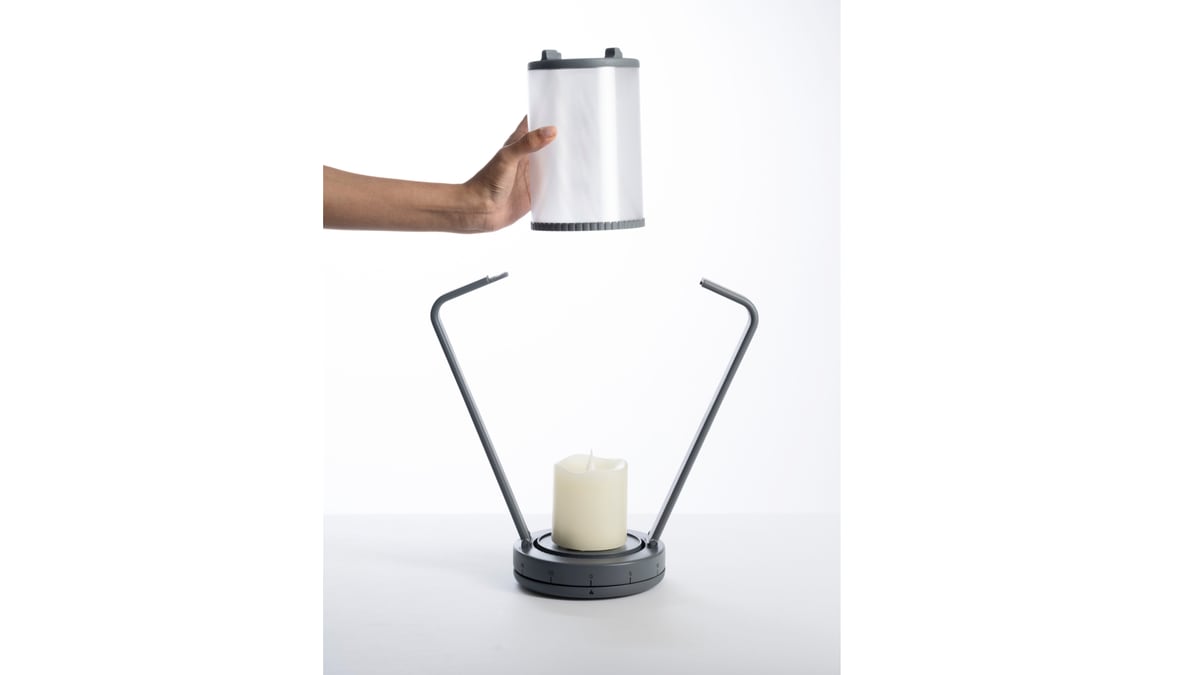
The magnetically-jointed handles split apart, inviting the user to place the candle inside.
Rotate the handle to the desired time. Indicated with 5 minute incriments (0-60min)
Users can light the candle using a candle lighter through the top opening.
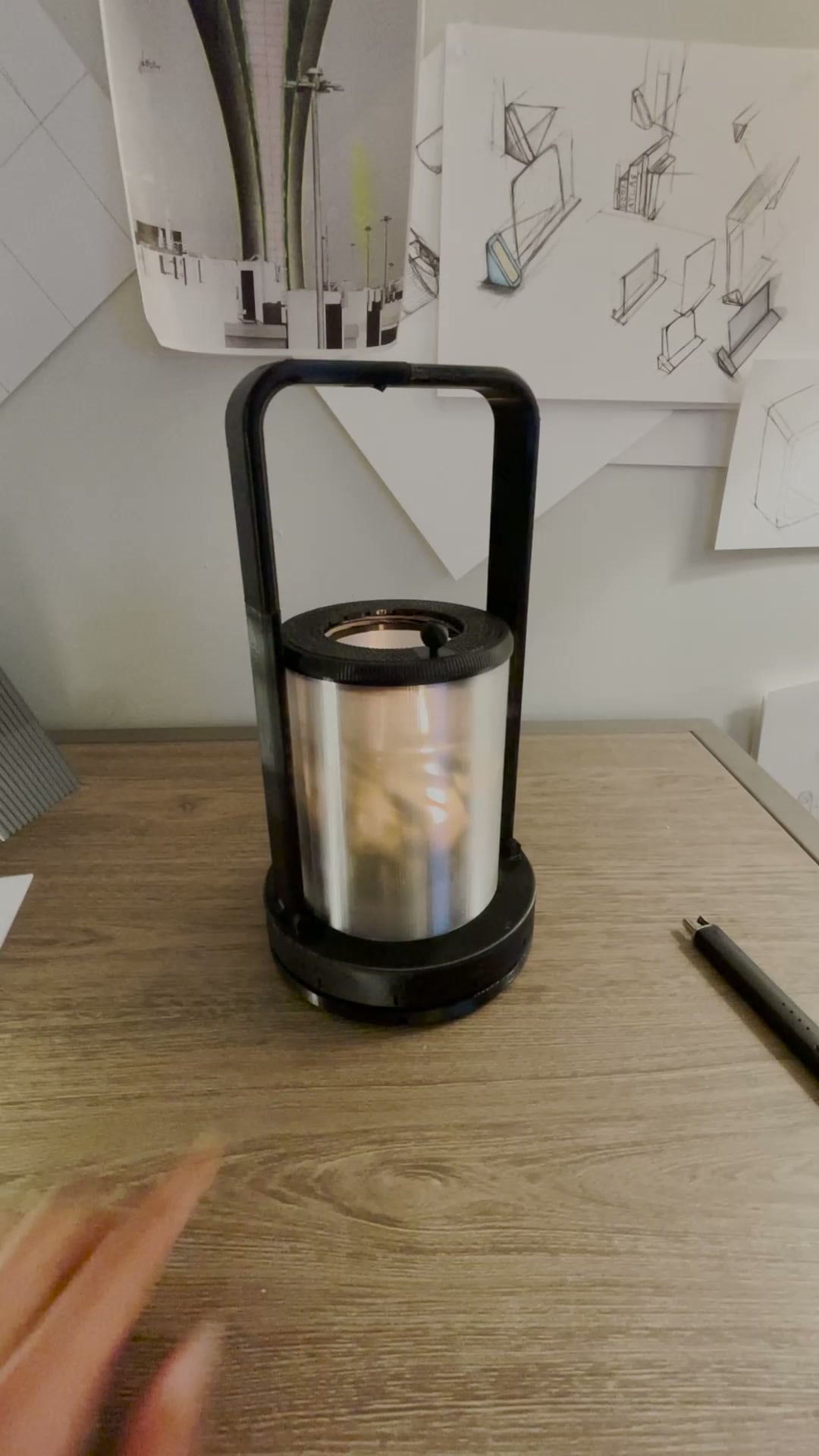
(Please enable audio) During the duration of the timer, the handle will slowly rotate back to the neutral position and set off a ring. *Simulated automatic return
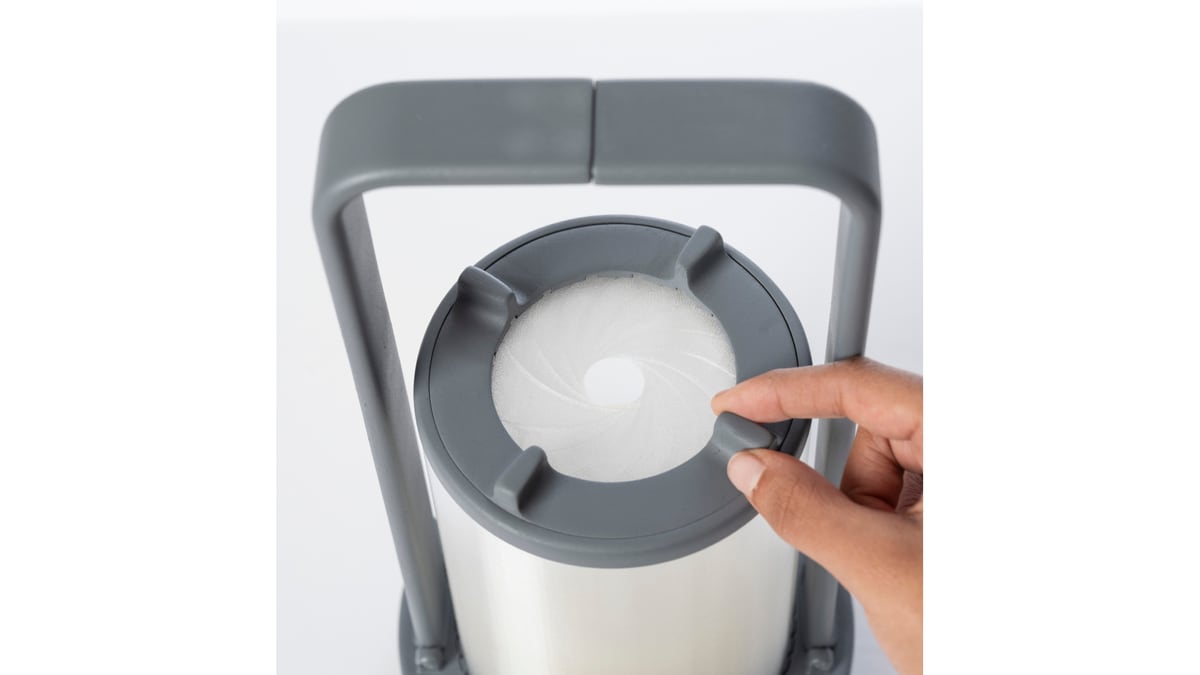
The integrated oculus at the top easily snuffs the candle by cutting off the oxygen.
The resultThe final model.
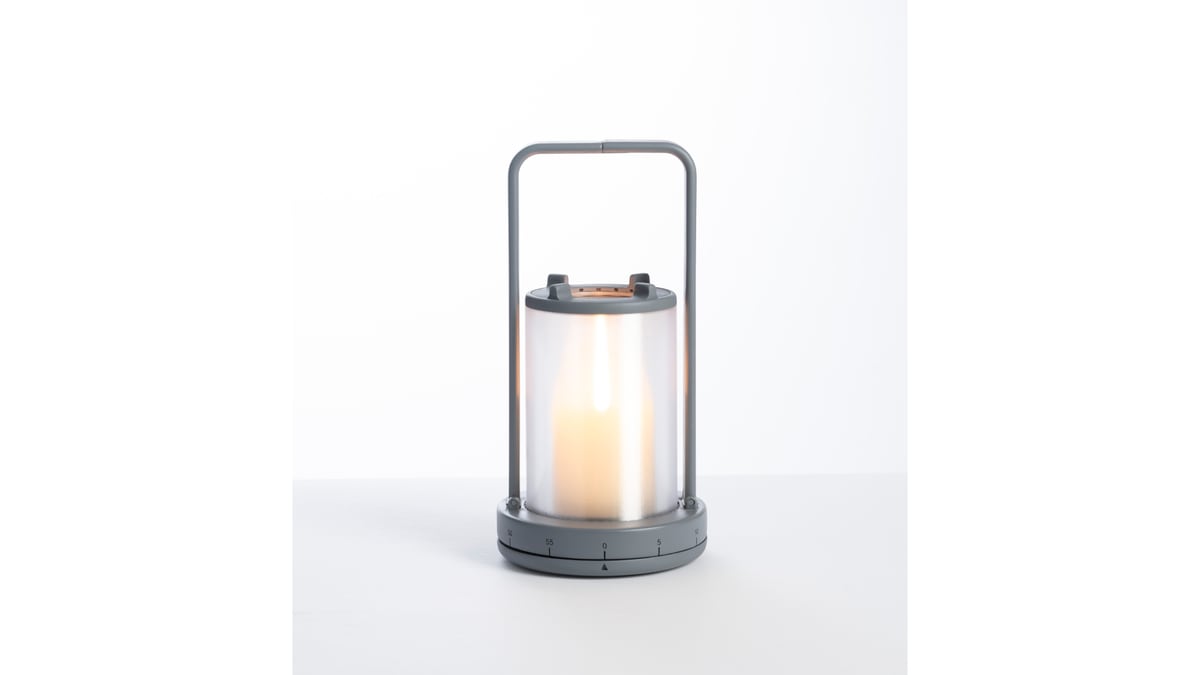
Stage 09 of 09 · Final Model
The Candle Lantern with a Timer makes it easy for users to use keep the use of candles safe.
Inside
Client guidelines mentioned no electronics, and this solution complies.
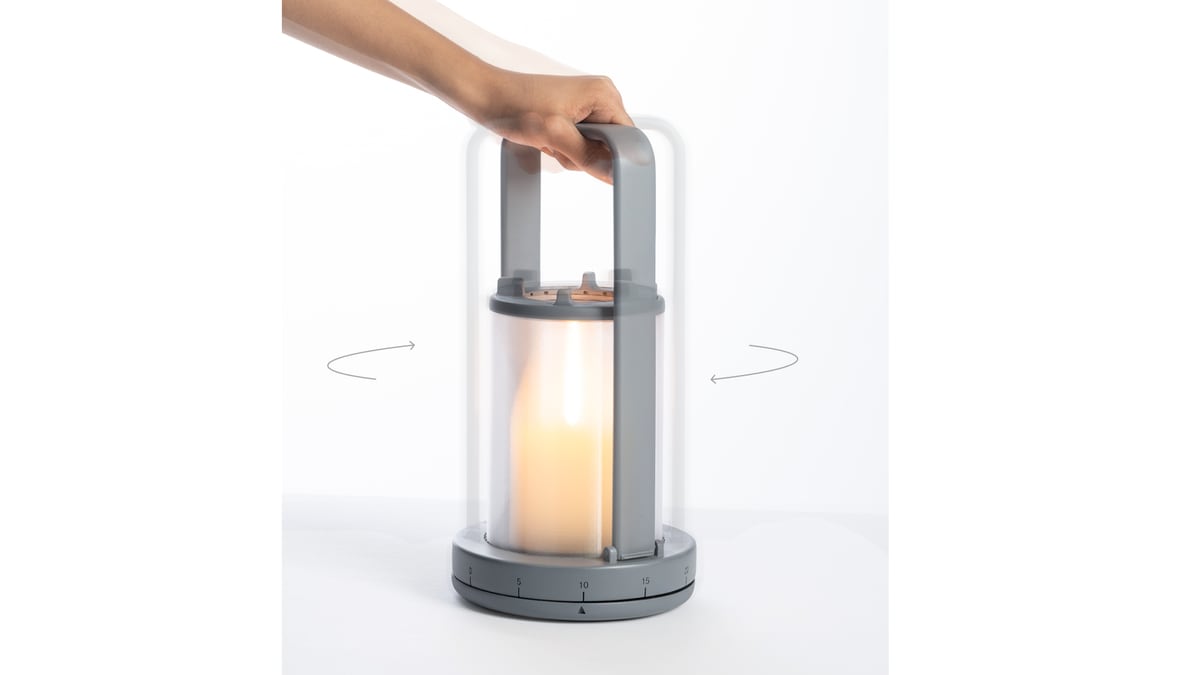
Set
The user simply rotates the handle to set the time on the lantern, after which a ‘ring’ will play to notify the user.
Snuff
The integrated aperture closes easily with the simple rotation of the dial, cutting off the oxygen, snuffing the candle.
Load
The handles split into two, inviting the user to place their candle within the holder.
Result
Winner, Metaproject 16Exhibition
Displayed at ICFF 2026Archive
Archived at Rochester Institute of TechnologySponsor
Sponsored studio by Gardall (Metaproject 16)